


Google Lens
4.763.61K Reviews
App Specs
- Version
- Varies with Device
- Updated On
- License
- Free
- Downloads
- 1,000,000,000+
- Developer
- Google LLC
- Categories
- Tools
- Platform
- Android, iOS
Screenshots
 Analysis by AppCompare
Sharing a phone around the house often turns a small question into a group investigation: What is this plant? What does this label say? Where can we find that lamp again? Google Lens is useful in those moments because it lets me start with the thing everyone can see instead of trying to describe it in a search box. I can aim the camera at an object or words and use visual search to explore what might be relevant. It works best as a quick way to get leads, not as a final authority, which is an important distinction when several people are relying on the answer.
One camera, several kinds of household questions
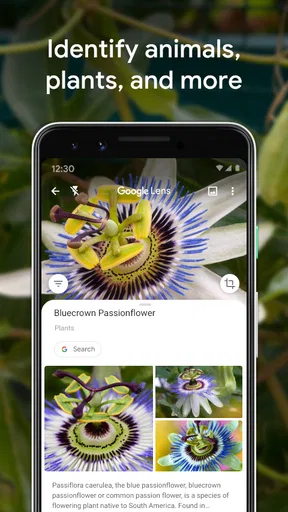
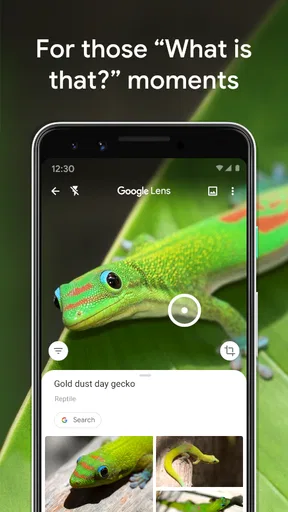
A realistic shared-use situation might begin with a plant on a windowsill that has developed unfamiliar leaves. One person takes a picture, another checks the possible identification, and someone else compares it with a trusted gardening reference before deciding how to care for it. That is a better use of Lens than treating a single result as a diagnosis. Visual matches can narrow the possibilities, but similar-looking species and changing light can make a confident-looking answer less certain than it seems.
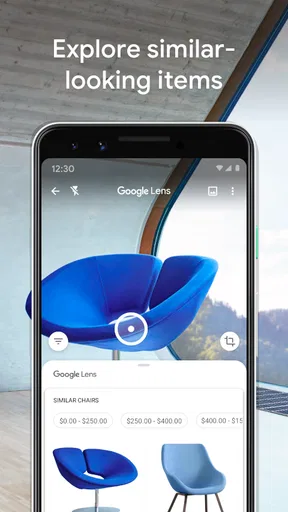
The same approach works for practical errands. If I spot a replacement part, a piece of furniture, or a package label, I can use the camera to get a starting point for further research. I would still compare product details carefully: a similar-looking item may not be the same model, and search results are not a guarantee of the best price, availability, or suitability. For a household purchase, Lens is most useful as a discovery tool that helps me find words and names to search next.
Decide whose phone and account are in use
Lens is a Google app, so the experience can sit alongside other Google services, but a shared device still deserves a little thought. Before handing a phone to another person, I consider which account is signed in and whether the person should have access to the device’s camera, saved pictures, or other apps. That is ordinary device and account housekeeping, not a special family setting inside Lens. A person using someone else’s phone should also know whether they are looking at a live camera view or selecting an existing image.
For a one-off question, it can be simpler for an adult to run the search and show the result than to leave a shared phone unlocked. If a child needs to use the camera, I would set expectations first: point it at the object or text being discussed, avoid photographing people without permission, and ask before opening unrelated results. These small boundaries make visual search easier to use responsibly without assuming that the app itself manages household permissions.
Coordinating what the result actually means
Lens can help a family get from “the blue bottle” or “that flower by the gate” to more useful search terms. That can save time when coordinating a shopping list or trying to identify an item someone saw while out. But visual search does not automatically create a shared record or settle which result the household should choose. I find it helpful to say the name or details aloud, write them in the household’s usual notes, or take a screenshot only when that is appropriate for the device and account being used.
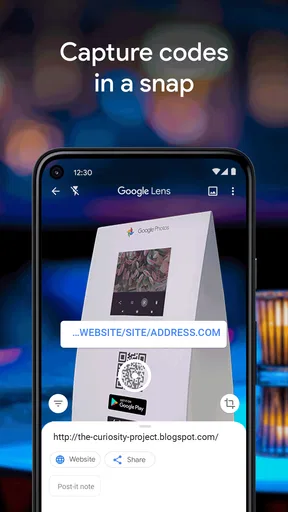
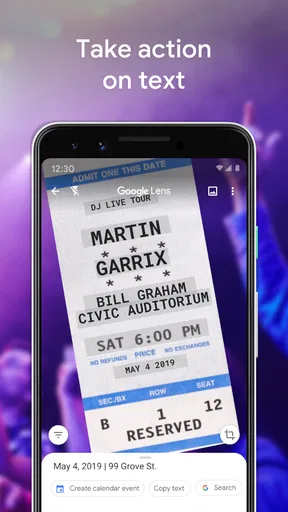
For text, the practical workflow is to check the recognized wording before acting on it. A number on a poster, a product label, or an instruction sheet can be easier to capture than to type, but recognition can mistake characters, especially when print is small, angled, decorative, or partly obscured. I would verify a phone number before calling and double-check an address or important instruction rather than trusting a scan at a glance. Lens can reduce copying effort; it cannot remove the need to proofread.
Worth Reading Before You Choose

Baby Panda World Brings Quick Play to Modern Phones, but Its Game Library Feels Busy

ESPN’s Live Game View Makes Following Close Games Easier

QuizzLand Review: A Good Fit for Short Trivia Breaks, Not Every Player

Basketball Stars: Multiplayer Is Fast, but Can It Recover When Matches Go Wrong?

WEBTOON Turns Phone Updates Into a Better Reading Routine

Link to Windows Runs on Shared Habits, Not Social Feeds
Age, trust, and a sensible level of supervision
The app is rated for Everyone, and it is a general-purpose tool rather than a game built around a child’s progress. That makes it easy to demonstrate a useful search, but the camera can lead into broader web results, so age suitability depends on how the phone is set up and how it is being used. I would not treat the age rating as a substitute for adult judgment about a particular child, device, or search.
When a result concerns health, safety, food, or a plant that might be poisonous, I would use Lens only to gather clues and then check a dependable specialist source. The same caution applies to translations of warnings or instructions: a quick translation can help me understand the general idea, but I would seek a qualified person or a reliable official translation when a misunderstanding could matter. It is a useful household helper precisely when everyone understands what it can and cannot establish.
For people who want one simple visual-search tool for household curiosities, shared shopping research, and quick text capture, Lens is a strong fit. It is less suitable when someone wants a private, child-specific search space, a guaranteed product comparison, or a definitive identification in a high-stakes situation. Those needs call for a different source or more deliberate supervision rather than more trust in a camera result.
Ever found yourself staring at a piece of text in a foreign language, wishing you could magically understand it? Or maybe you saw a cool gadget online but didn’t know what it was called? That’s where Google Lens steps in. This app is like having a pocket-sized Sherlock Holmes for your everyday inquiries. Let’s dive into what makes this app a must-have for your digital toolkit.
What is Google Lens?
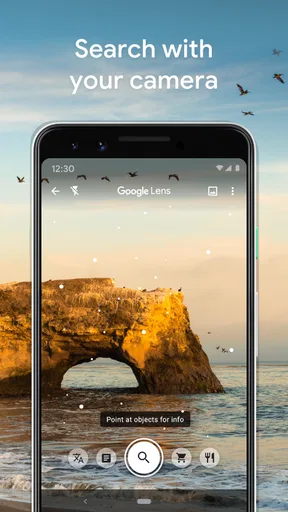
Imagine pointing your camera at something and instantly getting information about it. That’s the magic of Google Lens. Available on both Android and iOS, this app turns your smartphone into a visual search engine. From identifying plants and animals to translating text in real-time, it’s all about making the world around you more interactive and informative.
Features that Stand Out
Now, let’s talk about what really makes this app tick. The first thing you’ll notice is the sleek and user-friendly interface. It’s like Google took all the best parts of its search engine and gave them a visual twist.
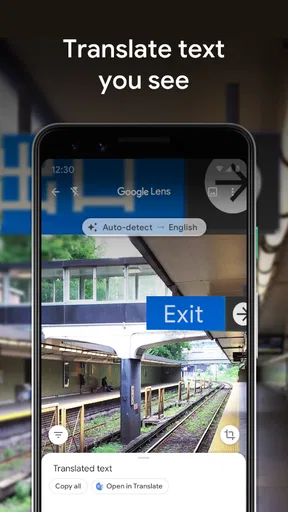
- Instant Translation: Traveling abroad? Just point your camera at any text, and boom—translated in a flash. This feature supports dozens of languages, making it a traveler’s best buddy.
- Text Recognition: Need to copy down a phone number from a poster? Use Google Lens to scan the text and save it directly to your contacts.
- Product Search: See something you like in a store but want more details? Scan the item, and Lens will pull up reviews and price comparisons.
- Identify Plants and Animals: Not sure what that flower in your garden is called? Google Lens can identify it in seconds.
These features come together to create a seamless experience that makes interaction with the world around you not only easier but also a lot of fun.
The Experience of Using Google Lens
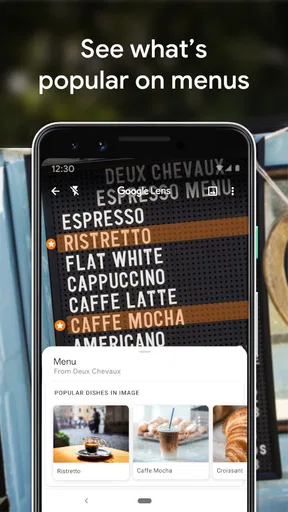
Using Google Lens feels like having a superpower. Imagine walking down a street in Tokyo, pointing your phone at a menu, and instantly knowing what each dish is. The app is fast, responsive, and surprisingly accurate. The real-time translation is a lifesaver, particularly when you’re in situations where you don’t have time to type things out.
The product search is another nifty feature. I was in a home decor store and saw a lamp I liked but wasn’t sure if it was worth the price. A quick scan with Google Lens pulled up the same lamp online with reviews and prices from different retailers. It’s like having a personal shopper who’s always on the lookout for the best deals.
Where It Shines and Where It Could Improve
So, where does Google Lens really hit the mark? Its versatility is unmatched. Whether you’re a student, a traveler, or just someone curious about the world, this app has something for you. The integration with Google Photos and Assistant enhances its functionality, making it more than just a standalone app—it becomes a part of your daily digital routine.
However, there’s always room for improvement. While the app is generally accurate, there are times when it struggles with certain fonts or less common items. It’s not perfect, but it’s pretty darn close.
Privacy could be another concern for some users, as the app does require access to your camera and photos. Google assures users that their data is safe, but it’s always good to be aware of what permissions you’re granting.
Final Thoughts
All in all, Google Lens is a game-changer. It brings a new level of interactivity to your smartphone, making everyday tasks more engaging and informative. Whether you’re exploring a new city, studying for a class, or just browsing through a magazine, this app is sure to enhance your experience.
If you haven’t tried Google Lens yet, give it a shot. It’s like having a digital Swiss Army knife right in your pocket. So, next time you’re stumped by something around you, just point and discover.
How Lens fits into everyday search
As a free tool from Google LLC, Google Lens sits in the practical end of the tools category. It has a 4.7 average from around 2.8 million ratings, and over 1 billion installs, so it is familiar to many phone users. It is available for Android and iOS, with an Android minimum of 6.0, and its age rating is Everyone. Those details make it easy to consider for an existing phone, though the actual experience can depend on the device, the camera, and the connection available at the moment.
Compared with typing a description into a regular search engine, Lens is more convenient when I do not know the right words. A photo of an unfamiliar object gives me a visual starting point; a typed search is usually better when I already know the model, exact spelling, or technical terms and want precise results. A dedicated translation app may be preferable for a longer conversation or careful document work, while Lens is handy for short signs, menus, and labels that are right in front of me.
One useful habit is to frame only the relevant part of a scene. If a shelf has many similar products, filling the camera view with the item I mean can make the search easier to interpret. For printed text, holding the phone steady and moving closer enough for the letters to be clear is more dependable than taking a hurried, wide shot. These are simple adjustments, but they often matter more than repeatedly tapping the screen when the image itself is difficult to read.
Choosing when to use it—and when not to
Lens is particularly useful for curious people, students working with printed material, travelers handling short signs, and anyone who regularly needs to identify something without knowing its name. It can also help when a person has a picture of an object and wants to explore what it might be. If I need exact specifications, an authoritative explanation, or a reliable answer for a consequential decision, I start with Lens only if it helps me find the right terminology, then move to a specialist source.
For an unfamiliar item in a store, I would scan it, inspect whether the results actually match its shape and details, and then search by the clearest name or model information I can find. I would not assume that a similar image represents the same product or that the first shopping result is the best deal. That distinction matters: Lens makes visual discovery quick, while comparing warranties, dimensions, seller terms, and compatibility still takes ordinary research.
People who prefer not to use a camera-based search, who need a controlled offline reference, or who want a tool limited to one narrow task may be happier with a conventional search box, a specialist identification guide, or a dedicated translation option. Lens’s breadth is its appeal, but it also means the user has to judge which results are relevant. It is not a replacement for careful reading or expert advice.
A grounded household verdict
For shared household use, I see Lens as a helpful bridge between noticing something and knowing what to ask next. It can help turn a plant, label, menu, or object into a search that the household can discuss, but the person holding the phone should remain responsible for checking the result and respecting other people’s privacy. If the device is shared, keep account access and saved material in mind, and do not assume Lens provides household coordination or child-specific controls.
Google released the app on June 4, 2018, and its enduring appeal is easy to understand: it makes a camera useful for more than taking pictures. My recommendation is to keep it in mind for low-stakes curiosity and quick visual lookups, while slowing down whenever accuracy, privacy, or safety matters. Used that way, it is an approachable tool for a family phone or an individual device—not a substitute for sound judgment, but a convenient way to begin finding an answer.
Pros
- Seamlessly integrates with other Google services.
- Real-time translation is highly accurate.
- Image recognition is fast and reliable.
- User-friendly interface with intuitive design.
- Supports a wide variety of languages.
Cons
- Requires a stable internet connection.
- Privacy concerns with data collection.
- Limited offline functionality.
- Can struggle with complex images.
- Battery consumption can be high.
FAQs for Google Lens
What exactly is Google Lens, and how does it work?
Google Lens is an AI-powered tool that allows users to search for information using images instead of text. By pointing your camera at an object, Google Lens can identify it and provide relevant information, translate text, or even suggest similar products. It integrates seamlessly with Google Photos and the Assistant, enhancing your everyday tasks with visual search capabilities.
Is Google Lens available on both Android and iOS?
Yes, Google Lens is available on both Android and iOS devices. On Android, it’s typically integrated with the Google Assistant and Google Photos. For iOS users, Google Lens can be accessed through the Google Photos app, offering similar functionalities to help you interact with the world visually.
What are the main features of Google Lens?
Google Lens offers several features, including visual search to identify objects, plants, animals, and landmarks. It can translate text in real-time, copy text from the physical world to your device, provide shopping suggestions by identifying products, and even help you solve math problems by analyzing the equation. These features make it a versatile tool for everyday use.
How accurate is Google Lens in identifying objects and text?
Google Lens is generally quite accurate, thanks to its robust AI and machine learning algorithms. It excels in identifying popular landmarks, common objects, and translating text. However, its accuracy may vary based on the complexity of the object or text and the quality of the image. Google continually updates Lens to improve its precision and expand its capabilities.
Are there any privacy concerns when using Google Lens?
When using Google Lens, images are sent to Google’s servers to process and provide results. Google states that it doesn’t store these images unless you choose to save them within your device or account. Users concerned about privacy should review Google’s privacy policy and settings to manage data usage and ensure their information is handled according to their preferences.


